PRE-BETA VALIDATION • Beta testing is being prepared. Public download and checkout remain closed.
RigWave logoRIGWAVESTREAMING SYSTEMS

SEE FOR YOURSELF

Real RigWave screens and examples.

See the interface as it appears in development. These are genuine RigWave test-screen captures and purpose-made local audio examples. No mock interface is used here.

FOUR CORE OUTCOMES · TWO KINDS OF VISUAL

Feature art explains the idea. Real interface shows the screen.

Promotional artwork is not software proof. Genuine captures are not release proof by themselves. Keeping those jobs separate makes the evidence easier to trust.

System Stability

Understand the setup, make supported changes deliberately and keep recovery visible.

FEATURE ARTSafe Apply feature artwork
Safe Apply visualises the idea of changing one intended part while leaving unrelated settings alone.
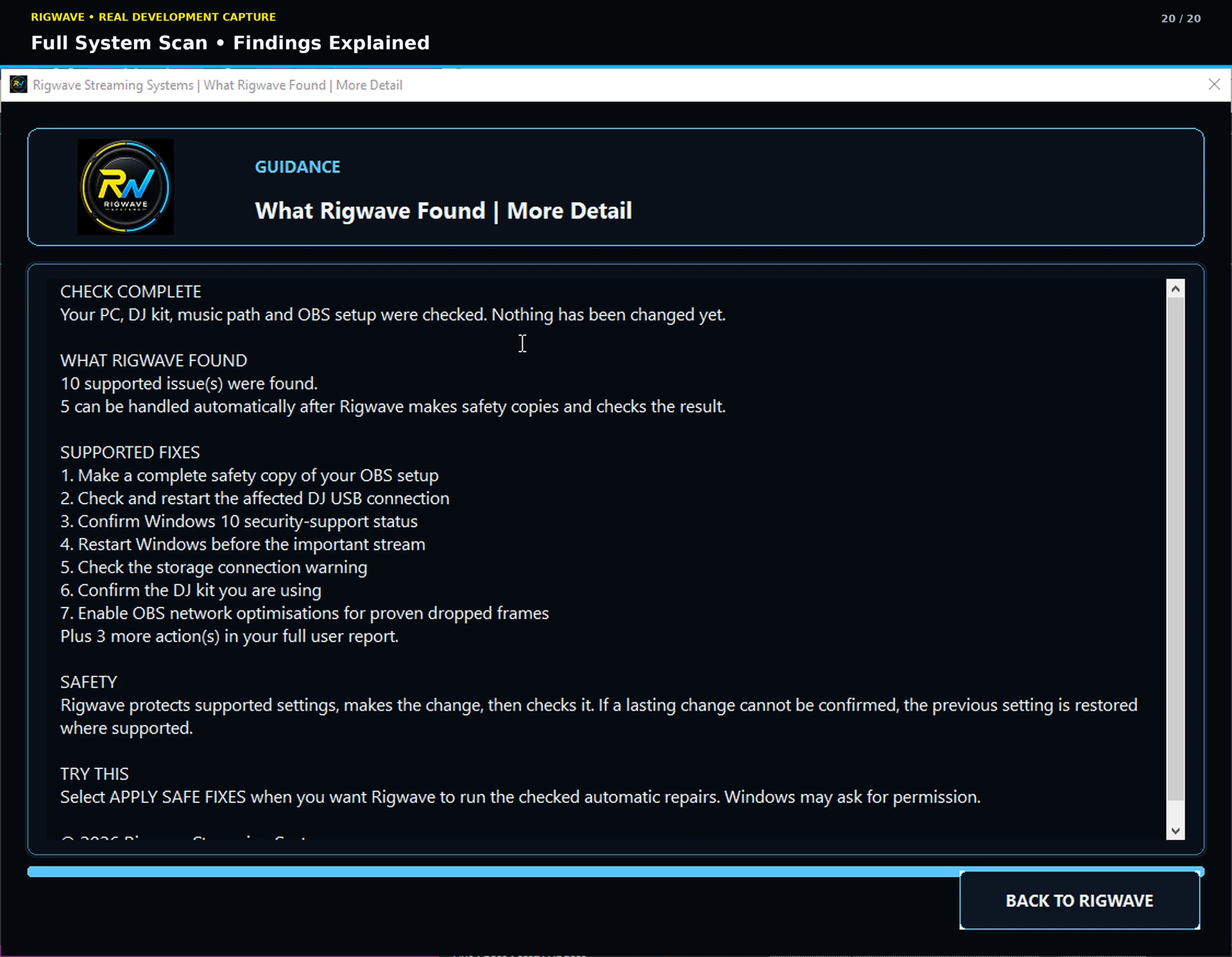
REAL INTERFACEFull System Scan findings screen
Actual development interface showing scan findings and explanation.

Audio Quality

Protect the live output and make recorded material easier to finish without making louder the only goal.

FEATURE ARTOutput Master feature artwork
Promotional artwork for the live-output component used by Genre Master Out.
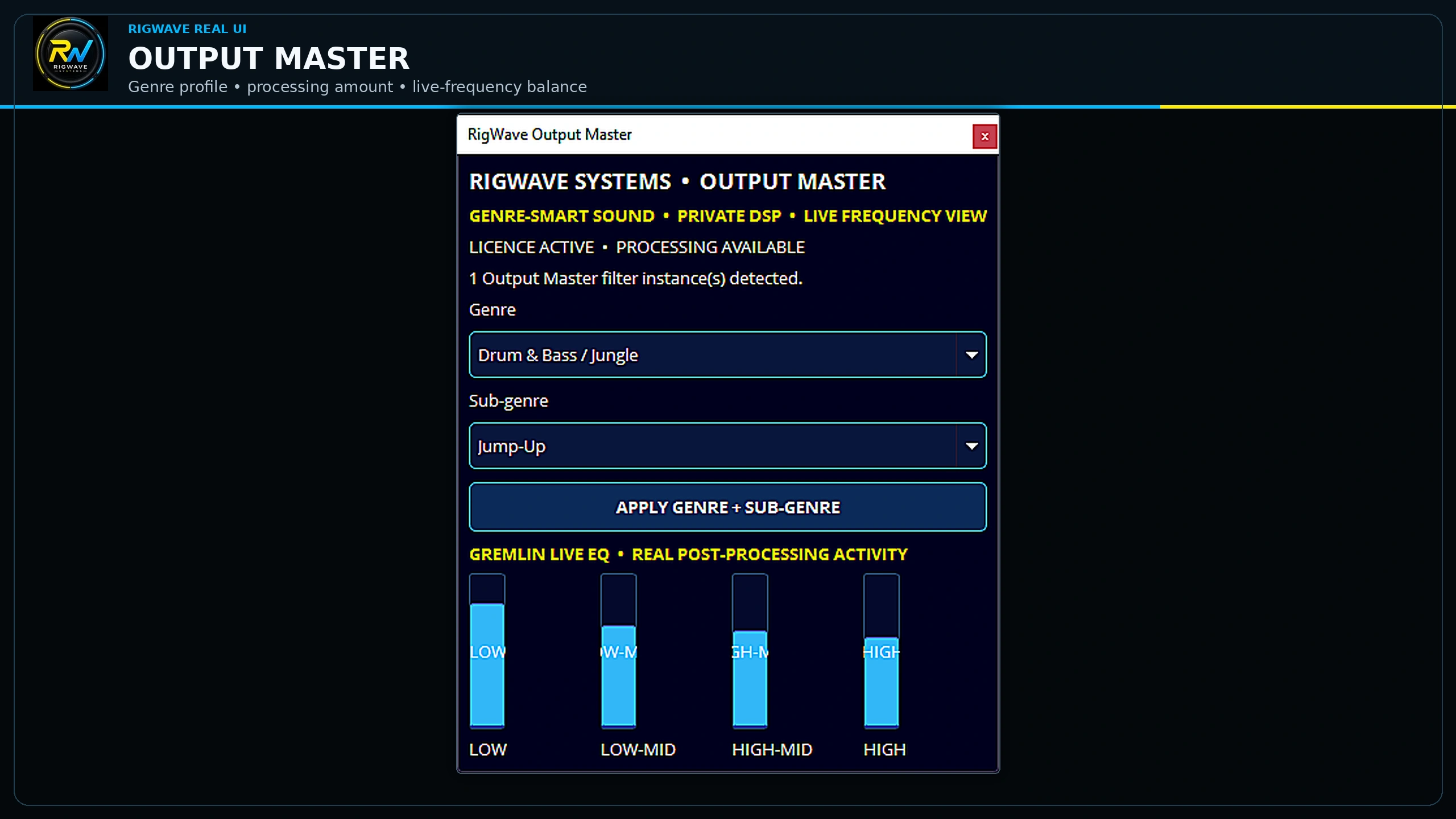
REAL INTERFACEOutput Master development interface
Actual development interface. Final real-OBS qualification remains separate.

Community

Make supported chat, live alerts and group workflows easier to follow while keeping permissions and relationships clear.
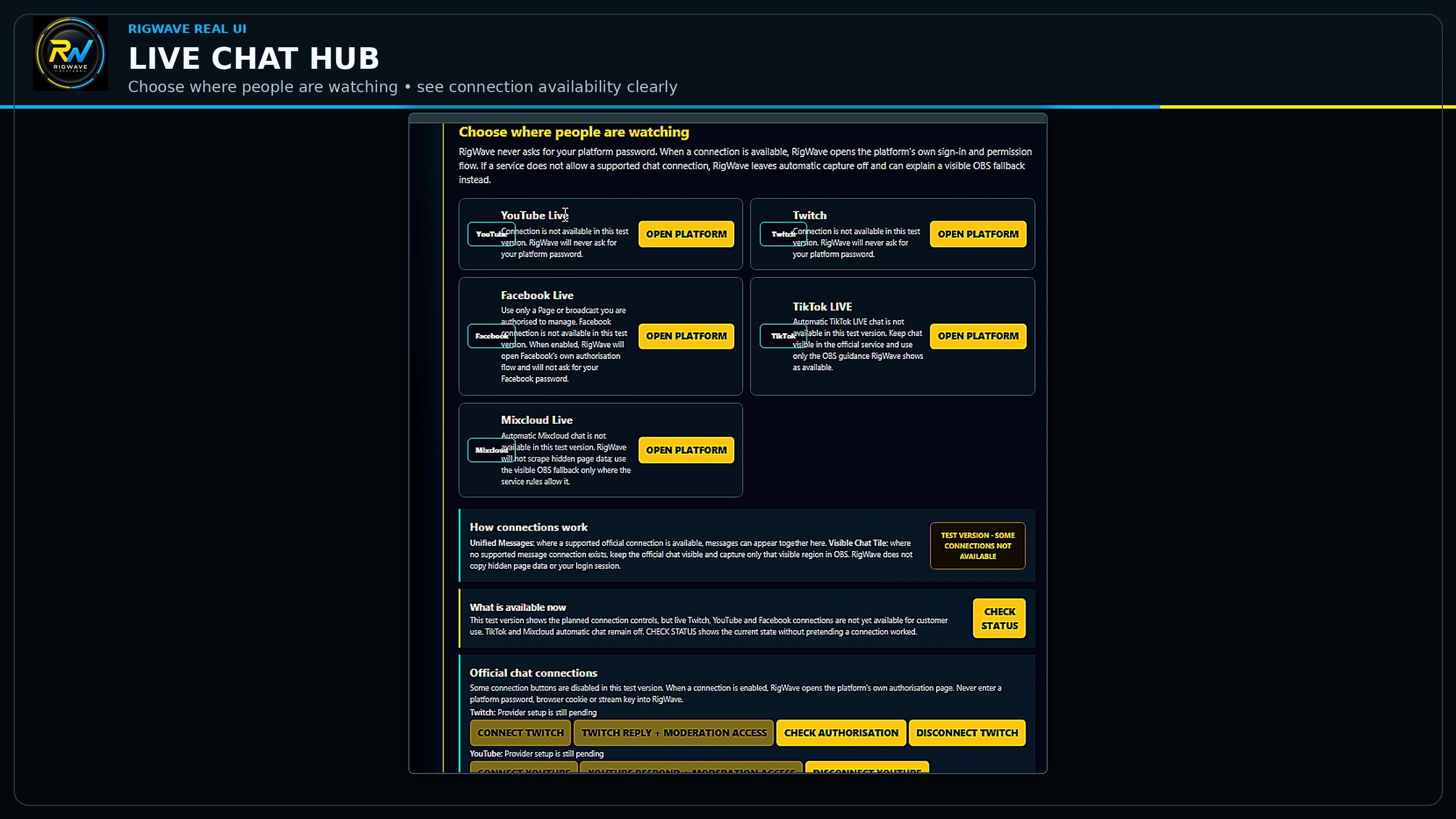
REAL INTERFACELive Chat Hub development interface
Live Chat Hub interface with provider states visible. It is not a provider PASS claim.
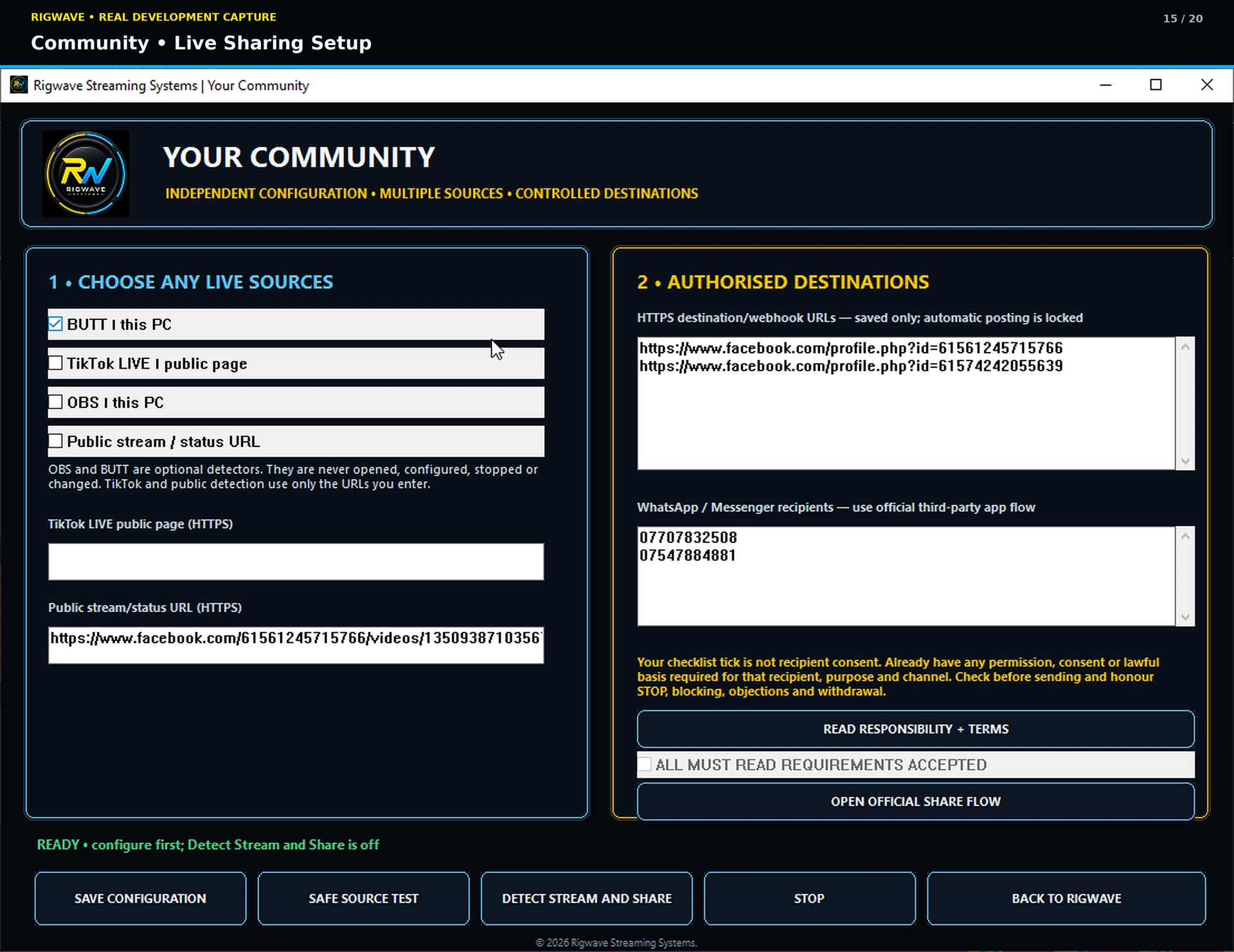
REAL INTERFACELive Sharing setup screen
Consent-first Live Sharing setup in the development interface.

Beat Fix

Use Beat Grid to understand timing drift, preview supported correction and keep the original safe.

FEATURE ARTBeat Grid feature artwork
Owner-accepted Beat Grid feature art. The artwork explains the idea; the interface beside it shows the actual screen.
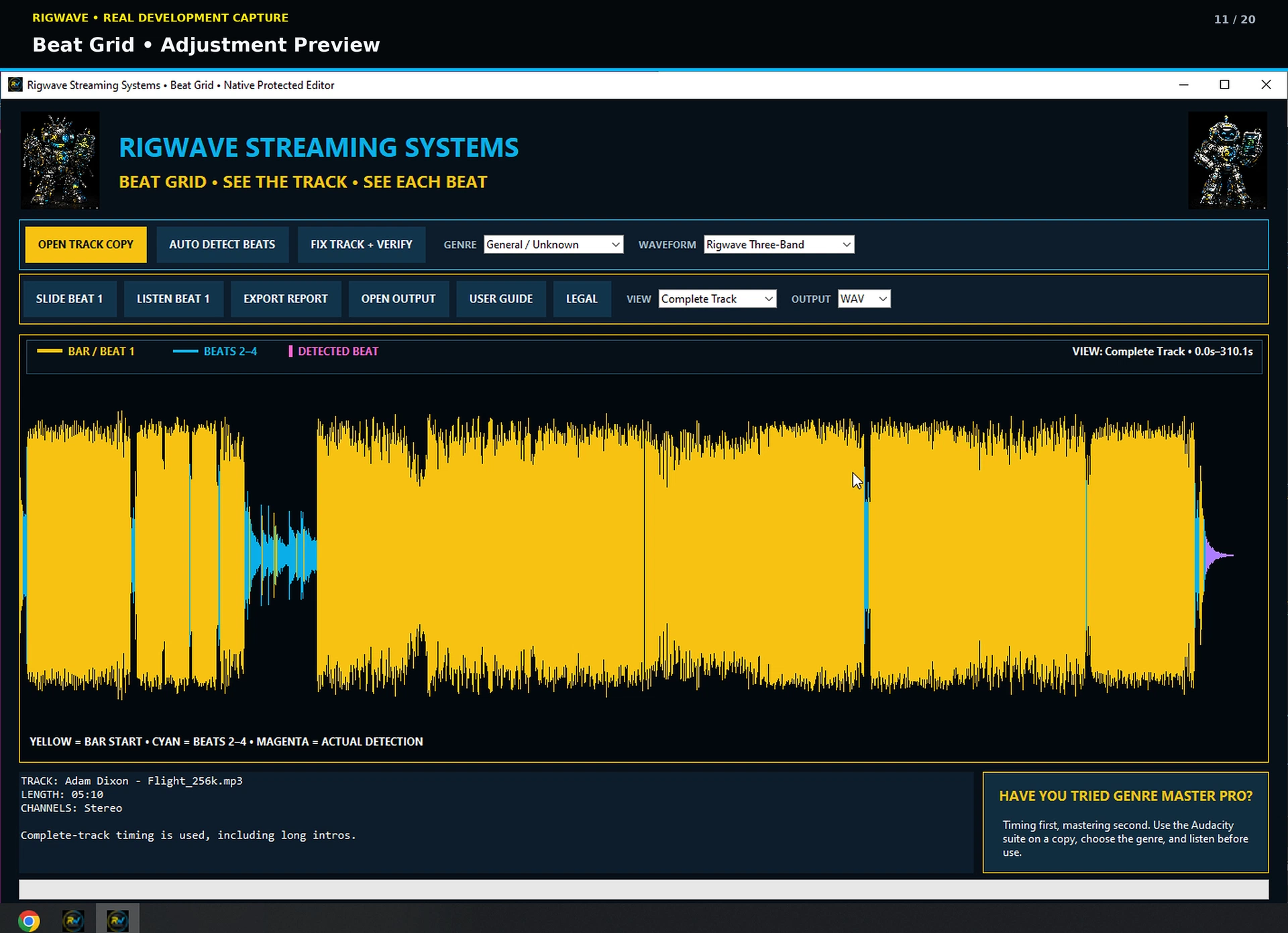
REAL INTERFACEBeat Grid adjustment preview
Actual adjustment-preview screen from the development evidence set.

EXPLORE THE PROGRAMS

NEXT PROOF LAYER

Screenshots show the interface. Results need their own tests.

Verified results will be added as testing progresses. Each example will identify the problem, the supported action and the checked result. Customer feedback will be published only after genuine use and with permission.

BEFOREThe real problem

What failed, sounded wrong, took too long or confused the user.

RIGWAVEWhat was detected

The exact finding, recommendation or supported action, including “no change recommended” where that is the correct result.

AFTERWhat was verified

The measured or observed post-check result, with the environment and limits stated plainly.

Customer testimonials should appear only after genuine use and explicit permission. No synthetic reviews, invented ratings or borrowed endorsements.

HEAR IT FOR YOURSELF

The Listening Lab

Purpose-made RigWave demo audio, not borrowed songs. Hear the before/after idea, then read exactly what it does and does not prove.

Drum & Bass / Jungle

Before

After

House

Before

After

Techno

Before

After

Results still to be demonstrated

The following results still need end-to-end tests on the exact Windows release build:

  • Output Master attached and verified inside real OBS.
  • Current Genre Master processing controls in the final Audacity workflow.
  • Live Chat Hub with authorised Twitch, YouTube and Facebook Live working together.
  • Network Stream Health with real measured connection evidence.
  • Exact before-and-after repair result from the final Windows version.

No placeholder screenshot will be used to fill the gaps.