← ALL FEATURESV1 target • profile field proof pending
Rig Profiles: save each setup separately
Keep separate profiles for different controllers, interfaces and audio routes so you can review the right settings for each setup.

What you get
Rig Profiles keeps separate local profiles for different supported rigs or jobs, including their devices, routing, apps, settings, backups and last-known-good state.
Why it matters between shows
Move from a home DJ stream to radio, another controller or a different interface with less rework and fewer “why has the mic disappeared?” moments. The right chain stays attached to the right job.
Keep useful details for each setup. Review saved devices, apps and routes before using a profile.
How the intended workflow works
- Create or name a local rig profile.
- Keep its devices and routes separate.
- Use the profile for that setup.
- Confirm before switching when routing or applied settings would change.
See the rig-first approach
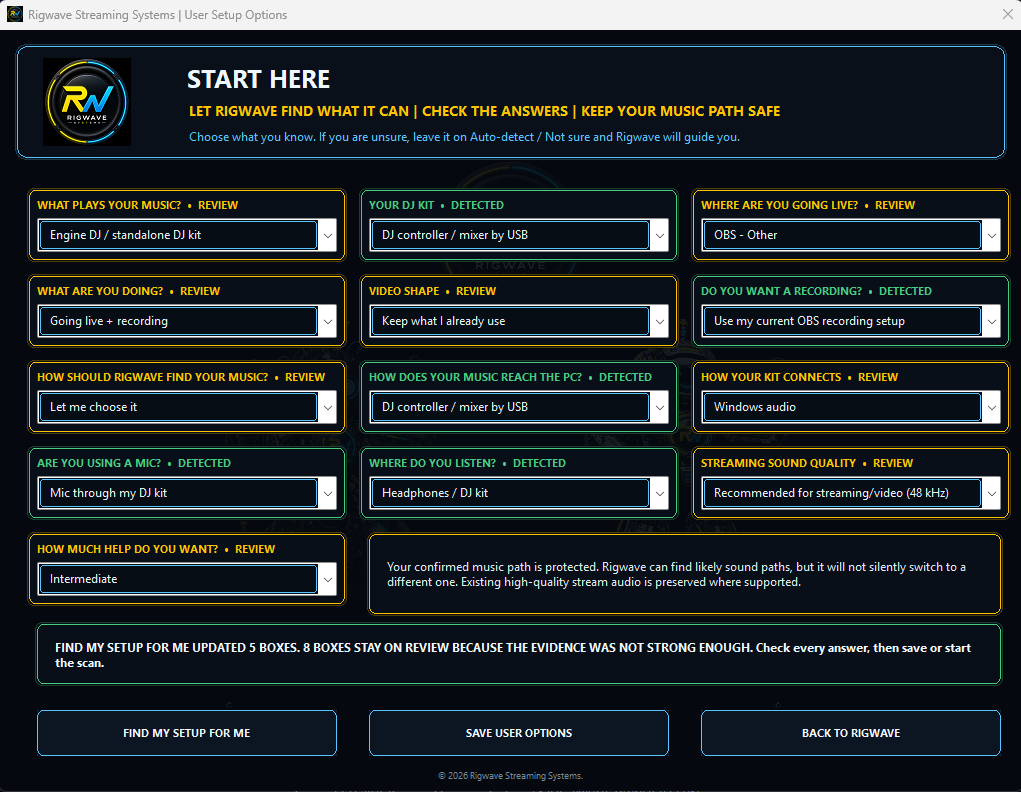
A genuine current test screen shows how RigWave starts from the detected setup. Final profile states will be captured from the exact V1 Windows version.
Top tips
- Name profiles after the real rig or venue so they are easy to recognise.
- Review a profile after changing hardware.
- Do not assume an old route still matches today’s setup.